How to configure guides
Launch Methods
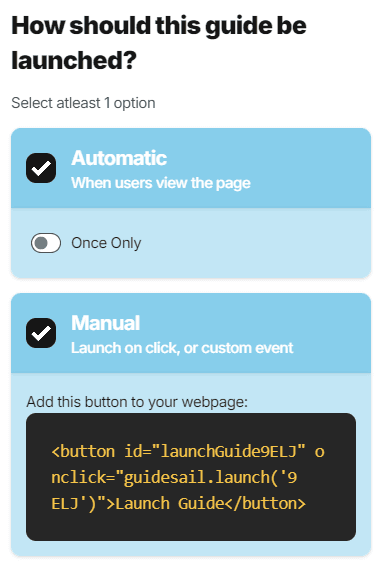
A guide can be launched in two different ways:
- Automatic: Launches when your user visits the page (based on URL Match). If set to once only then this will only be shown once to each user. (e.g. You may want to show an onboarding guide only once.)
- Manual: Launches based on a function call, you can control what triggers the guide to show. This method allows you to control when a guide is shown to a user (e.g. when they click a button on your page, or after a particular amount of time etc.).
A guide may use both launch methods simultaenously.
Styling
There are some options to customize the display of your guides.
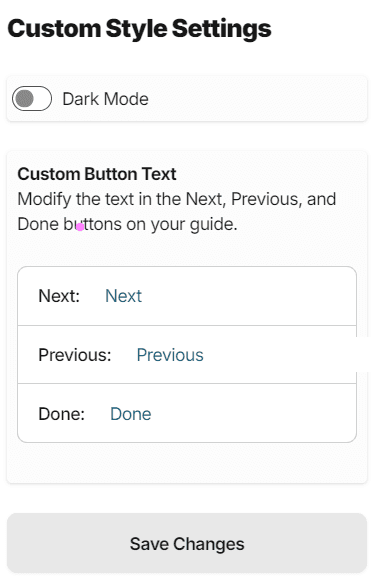
- Dark Mode: Guide steps will be displayed with a black background and white text (inverted from the default)
- Custom Button Text: Customize the text displayed on the Previous, Next, and Done buttons of the guide